No uploads
The helper runs locally on your Mac.
Free macOS utility
Keep taking screenshots the normal Mac way. Screenshot Clock fixes the filenames so review folders stay in order without switching your whole Mac to 24-hour time.
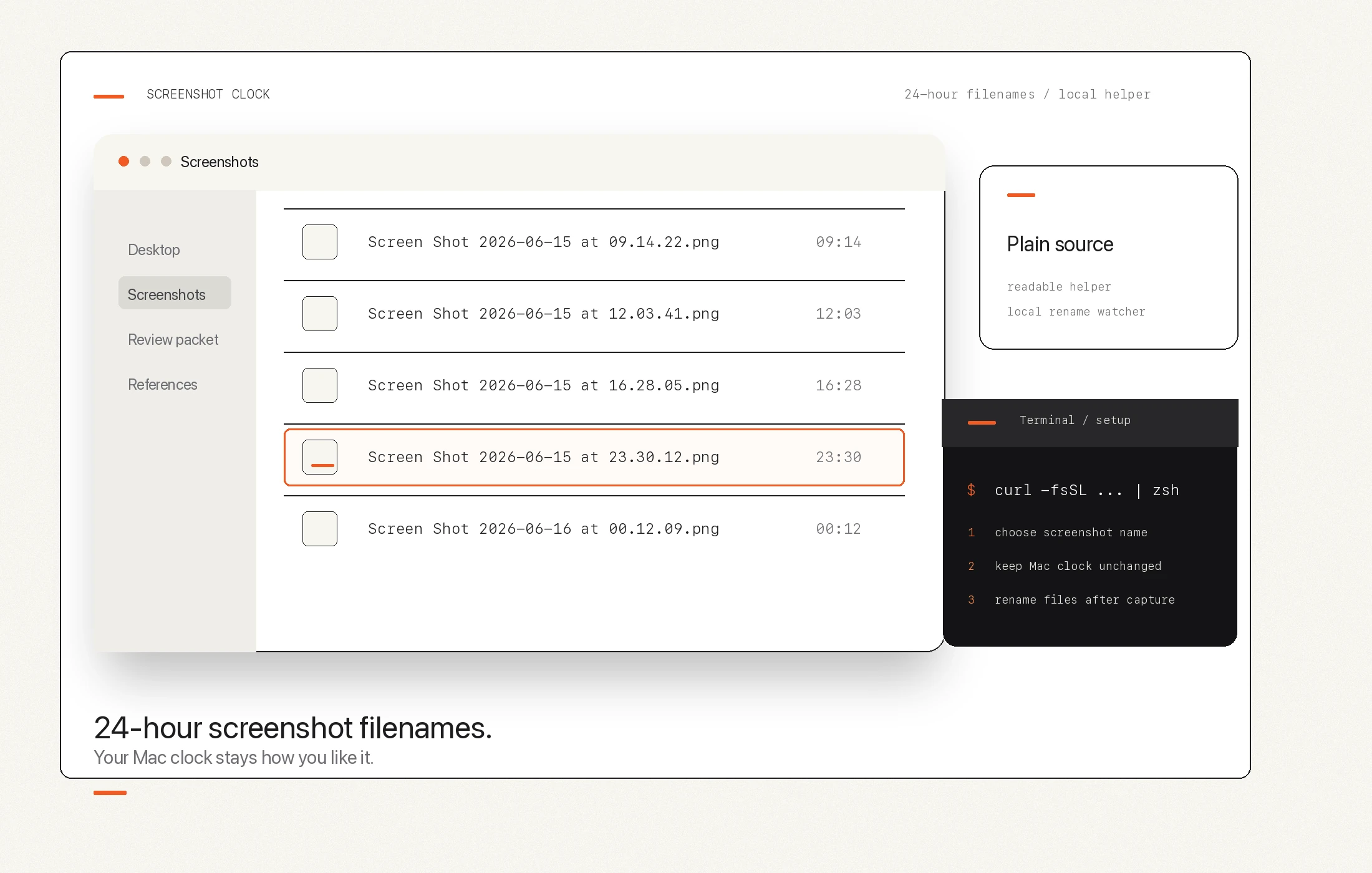
The problem
Designers, editors, developers, support teams, and producers often rely on screenshots as working evidence. When a review folder is full of Mac screenshots, sortable filenames make the day easier to scan without opening metadata or changing your whole system clock.
Before and after
Screen Shot 2026-06-15 at 11.30.12 PM.png
Screen Shot 2026-06-15 at 23.30.12.png
What it is
It keeps Apple's screenshot flow. Use the same shortcuts and the same files.
It fixes the naming problem. The recommended mode renames new screenshots after capture.
It keeps your visible clock alone. Your menu-bar clock does not have to change.
It stays transparent. The installer and helper source are public on this page.
What it is not
Not a capture app. Keep using the built-in macOS screenshot shortcuts.
Not a cloud screenshot manager. Screenshot Clock does not upload, OCR, annotate, or share files.
Not a broad batch renamer. It fixes the screenshot filename problem directly.
Not an AI naming layer. The goal is chronological clarity, not generated descriptions.
Install
Open Terminal, paste the command, then choose the recommended post-capture naming mode. The prompt explains what it will change before it installs the local helper.
curl -fsSL https://tools.kelownafilmstudios.com/macosscreenshot/install.sh | zsh The dollar sign is visual only. The copied command starts with curl.
Recommended mode
Leave macOS screenshot naming as-is.
Changes the broader Mac time setting for apps that follow it.
Recommended: sortable filenames while your visible clock stays familiar.
Trust
Screenshot Clock is designed for people who care about order but do not want another account, cloud service, subscription, or screenshot manager.
The helper runs locally on your Mac.
The shell installer and Python helper are linked directly.
Run setup again later to change screenshot name, folder, or mode.
The local command includes status and uninstall paths.
Source
Next reading
Why AM/PM names get annoying and how Screenshot Clock fixes the ordering problem.
What the command does, where files go, and how to rerun setup.
What runs locally, what is not uploaded, and why the source is visible.
Another KFS tool for creative Macs, focused on disk space and cleanup risk.