Find space
Browse the real folders.
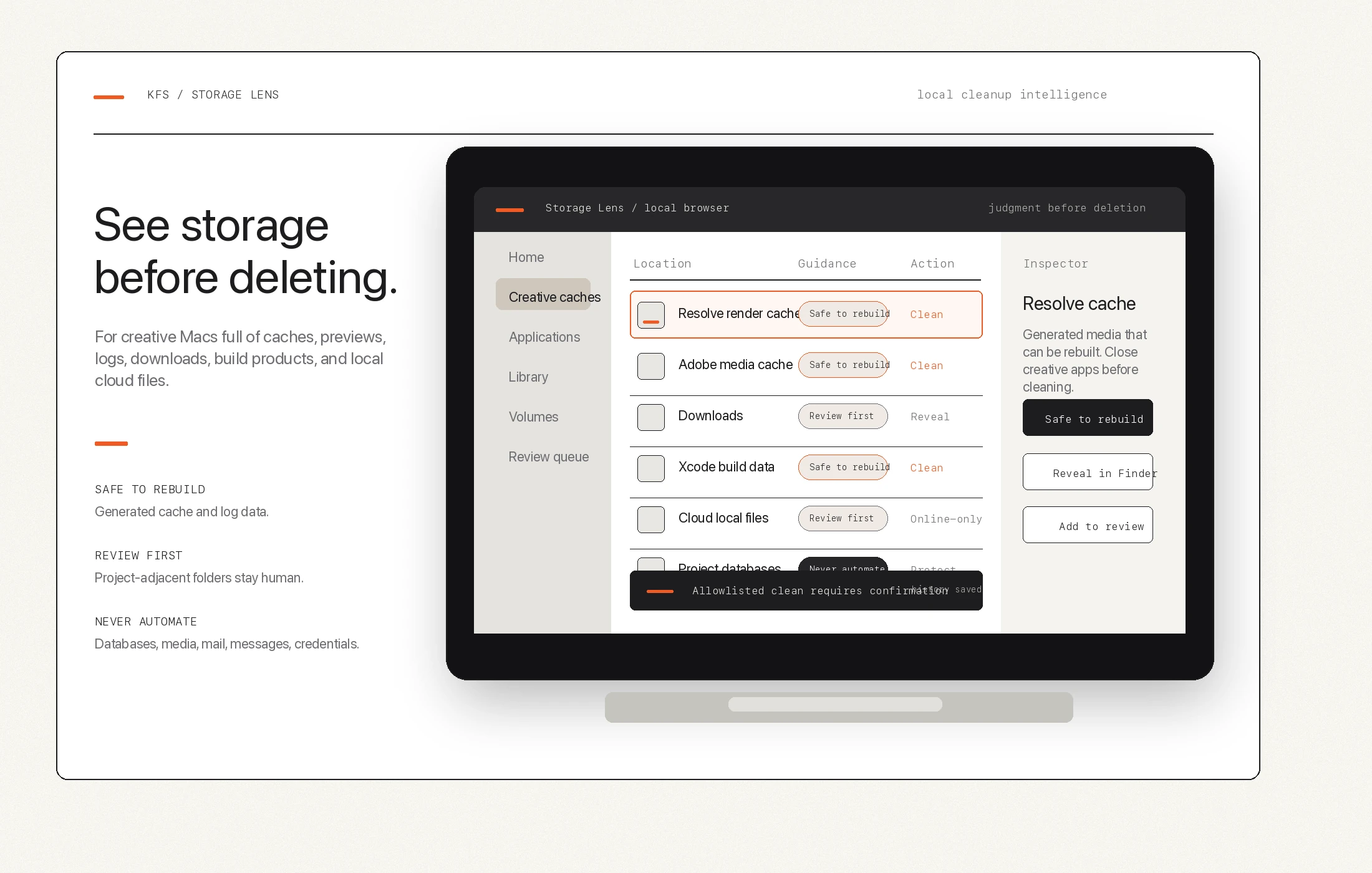
Use a local Finder-like browser with hidden Library locations, mounted drives, search, sorting, and inspector context.
Mac disk space analyzer for creative work
Storage Lens helps you see the caches, scratch folders, logs, downloads, generated media, and cloud-sync leftovers that fill up a creative Mac without guessing what is safe to delete.
The problem
Resolve render caches, Adobe media cache, Lightroom previews, developer build folders, downloads, cloud-sync leftovers, logs, proxies, and backups can all look like wasted space from a distance. Some can be rebuilt. Some deserve review. Some should never be automated.
Find space
Use a local Finder-like browser with hidden Library locations, mounted drives, search, sorting, and inspector context.
Understand risk
Storage Lens labels rebuildable caches, review-first folders, protected locations, and never-automate data differently.
Clean cautiously
The safe clean action only touches allowlisted rebuildable cache and log contents after confirmation.
What it checks
DaVinci Resolve. Render caches, logs, proxy media, gallery stills, backups, project database paths, and Resolve media locations.
Adobe Creative Cloud. Media cache files, media cache databases, peak files, old Adobe caches, Lightroom previews, and review-heavy support folders.
Mac and development storage. App caches, user logs, hidden CLI caches, Xcode DerivedData, simulator data, package-manager caches, Downloads, Trash, and large user folders.
Cloud-sync review. Dropbox and Google Drive recommendations can point to local files that may be worth making online-only. Storage Lens does not move or delete cloud files.
Resolve cache cleanup guideAdobe media cache guideSafe-delete guide
Safety model
Generated cache and log data that apps can recreate, with app-running checks before cleanup.
Folders that may be removable, but could contain project history, previews, proxies, backups, or working files.
Project databases, catalogs, source media, credentials, Messages, Mail, Photos libraries, and other sensitive locations.
Competitor angle
Storage Lens is built around the judgment problem that generic disk analyzers and one-click cleaners can miss: a huge folder may be rebuildable cache, expensive project history, original media, or something private.
Resolve, Adobe, Lightroom, proxies, backups, and creative working folders are explained separately.
The tool is designed around local inspection rather than cloud scanning.
Items are framed by cleanup risk, not only by size.
Automation stays narrow and excludes broad parent-folder deletion.
Preview access
Storage Lens is currently a local browser-based tool. Public install copy should wait until the launcher, permissions guidance, support path, and release packaging are ready.
Best for editors, filmmakers, photographers, designers, developers, assistants, and small studios who need more space without gambling with project data.